
 3:19
Make Lo-fi Music for the Moment You Have in Mind
Describe a quiet study session, a sunny afternoon, or a late-night mood. Generate lo-fi instrumentals, or add your own lyrics to create a song with vocals.
3:19 2:37
 2:19
Where Your Lo-fi Music Can Fit
Create something for your own listening, give a video its atmosphere, or develop a new musical idea. Choose the sound around what you want to do.

Study & Work Backgrounds
Make an instrumental for reading, writing, or desk work. Try a simple melody and restrained drums, then decide how much musical movement you want while you work.

Everyday Listening & Unwinding
Create a track for the journey home, a slow morning, or a quiet evening. Choose brighter guitar, softer keys, or a more reflective mood to match your taste.

Videos & Social Posts
Give a vlog, tutorial, or everyday montage its own lo-fi soundtrack. Use an instrumental when the video includes speech, and listen for places where the music competes with the story.
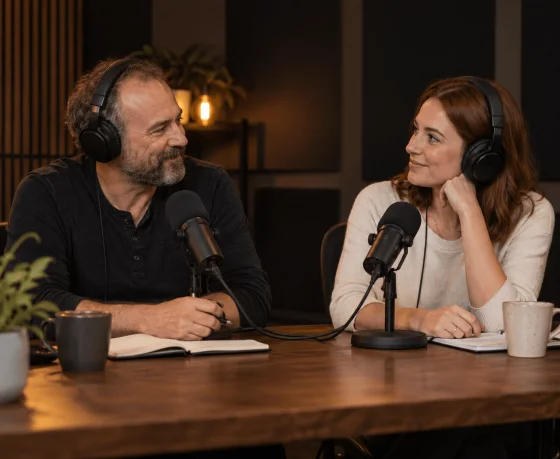
Streams & Podcasts
Build a relaxed background for a stream, or a musical opening and closing for a podcast. Choose how noticeable the music should be, then balance its volume with your voice in your production setup.

Lo-fi Songs & Beat Ideas
Use the lo-fi song maker to develop a musical direction, an instrumental, or a song with your own lyrics. Explore how the same idea changes with different instruments, drums, or vocals.
Make Lo-fi Beats That Fit What You Are Doing
Start with where the music will play. Choose whether you want vocals, describe a few sounds you like, and listen with that setting in mind.


Step 1: Decide What Belongs in the Background
Tell Musicful what the track is for: reading, a café vlog, an evening walk, or another moment. Turn on Instrumental for music without vocals. If you want a lo-fi song, add your original lyrics or use Write Lyrics.
Step 2: Give the Track a Few Clear Ingredients
Describe the sounds that matter most, such as soft piano, a relaxed drum groove, or warm guitar. Add vinyl crackle or a hazy texture if you want it. Keep the direction focused rather than combining every lo-fi sound in one prompt.
Step 3: Try It Where You Will Use It
Listen while reading, watching your edit, or playing the track beneath your voice. If the drums draw too much attention, ask for softer percussion. If the melody feels too busy, try a simpler repeating phrase. Adjust the part that distracts you.
Watch Lo-fi Creation and Musicful’s Tools in Action
Turn a quiet mood into lo-fi music you can study, unwind, or create with. Follow the lo-fi guide and hands-on Musicful review for ideas on describing your sound, choosing instrumentals or vocals, and listening for a version that fits.

Musicful
32.4K subscribers

Música Artificial
1.89K subscribers
Explore the Sounds Behind Your Next Lo-fi Track
Explore warm piano, mellow guitar, and jazz-inspired sounds for your next lo-fi track. Bring your favorite influences into the AI music generator to create a relaxed beat for studying or unwinding.
Lo-fi Music Generator Questions for Your First Track
Turn on Instrumental before creating the track, then describe the music you want. For example: “Instrumental lo-fi with soft piano, gentle bass, light drums, and a simple repeating melody for reading.” You do not need to write lyrics for an instrumental.