

Train Your Own Voice Model
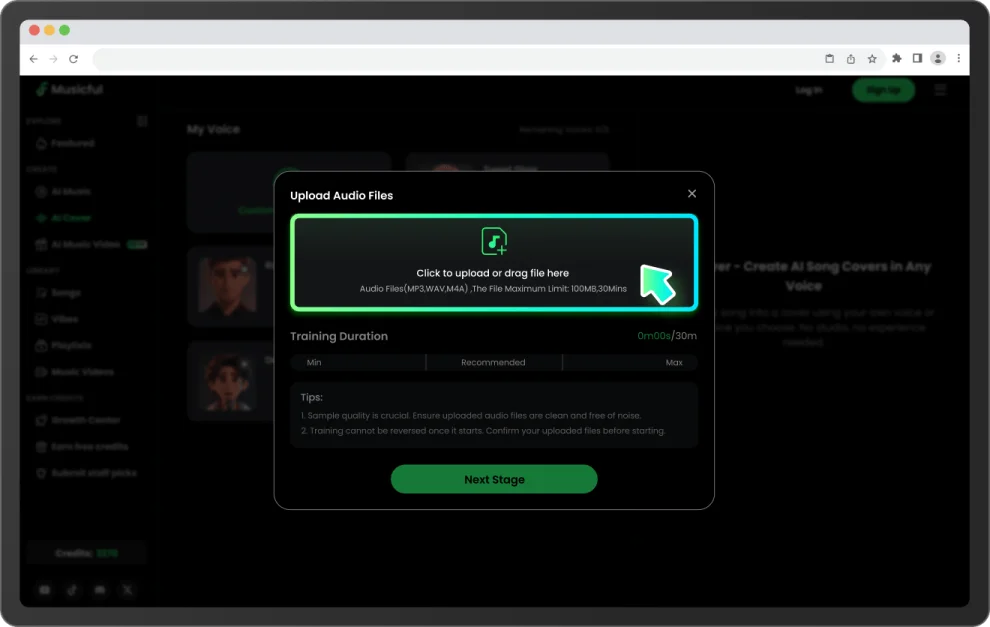
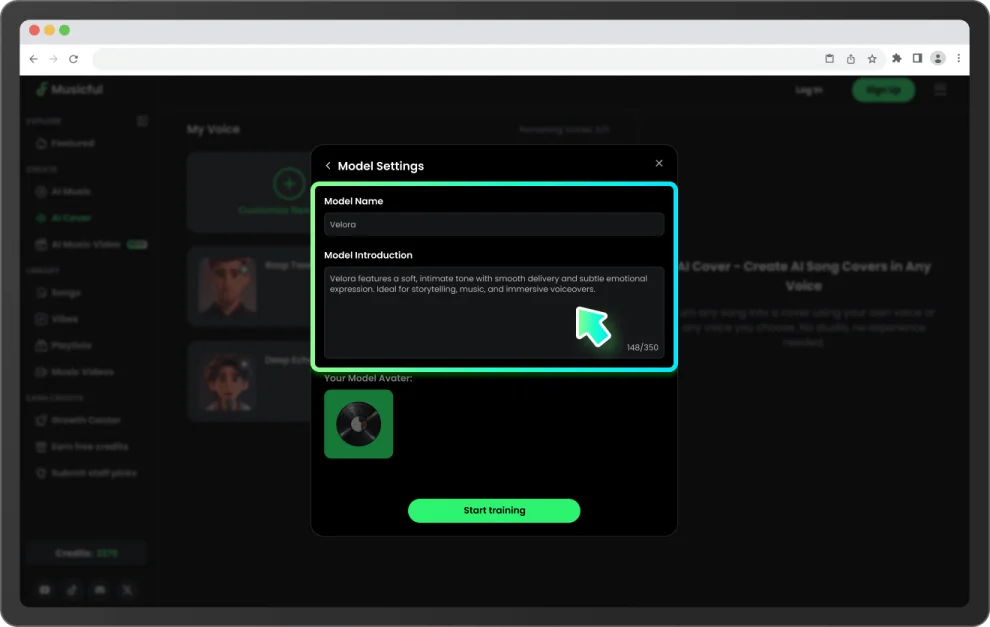
Upload a few minutes of audio and Musicful builds a personal voice model — capturing your tone, pitch, and vocal character automatically.

Remaining Voices: 0 /0
Select a song, pick a voice or train your own, and get a studio-quality cover in minutes.
Pick a voice model below and hear how the same track sounds in a completely different voice. Then make your own AI cover in minutes.

Sweet Glow
Soft & Bright
* All sample tracks are original compositions created for demonstration purposes.
From voice training to final export - Musicful gives you every tool to make AI song covers that truly sound like you.
Upload a few minutes of audio and Musicful builds a personal voice model — capturing your tone, pitch, and vocal character automatically.

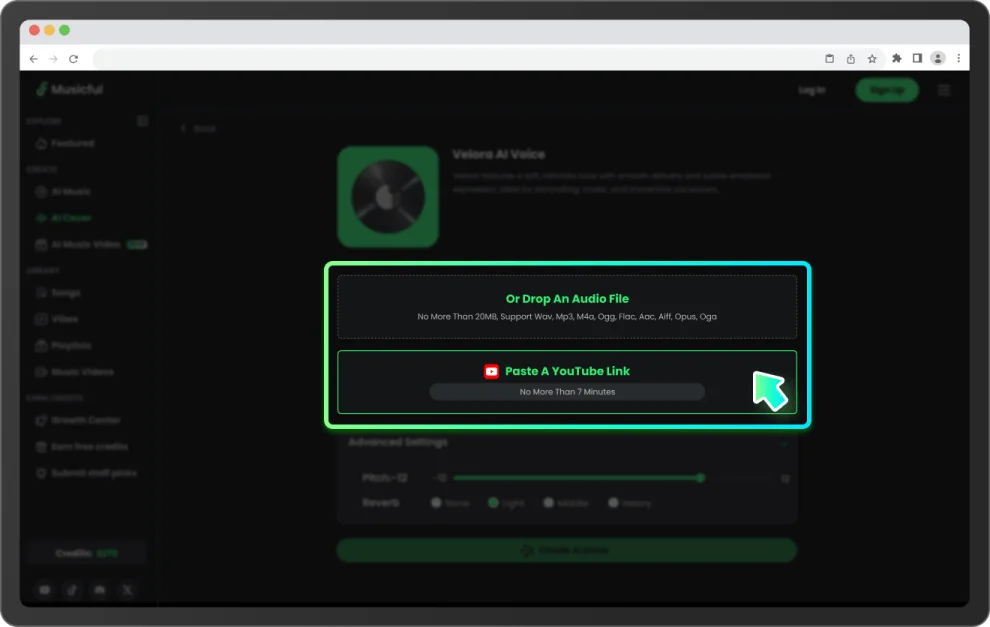
Upload a track or paste a YouTube link. Musicful lets you sing with your own voice, generating a new vocal version using your voice model — across genres and styles.

Most AI covers are ready in under 15 minutes. No rendering delays, no technical setup — just a clean, natural-sounding cover ready to play or share.

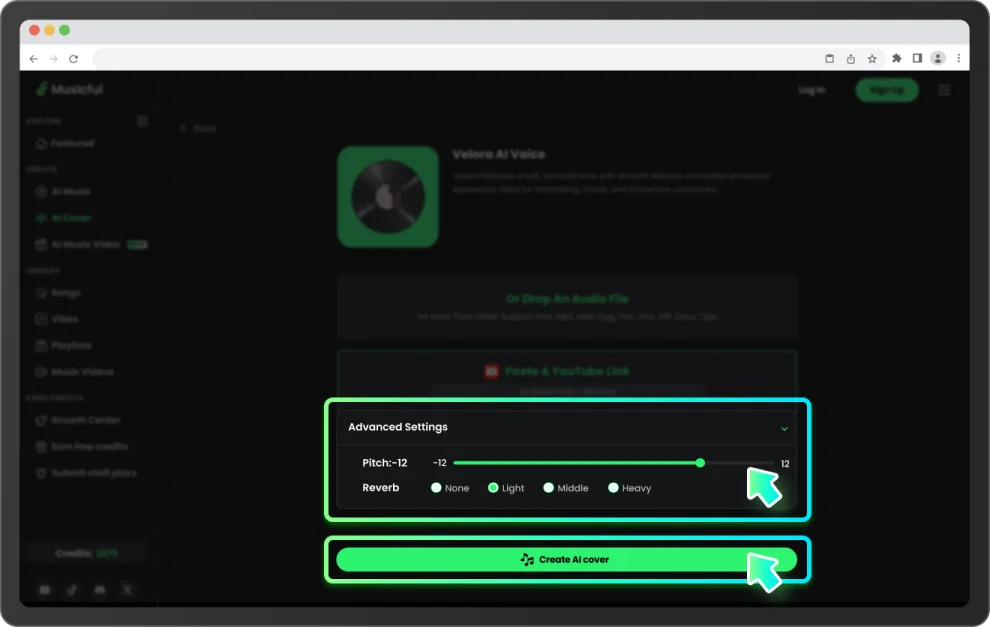
Adjust Pitch and Reverb in Advanced Settings before you generate. Small changes can make a significant difference to the final sound.

You don't need a DAW, a microphone setup, or any technical knowledge. Upload your audio and Musicful handles the rest.

Export your cover as a high-quality audio file and share it anywhere — social media, streaming platforms, or personal projects.
You don't have to be a musician. If you have a voice and a song in mind, you can make an AI cover today.
Train a voice model with a few minutes of audio. After that, any song is fair game — it comes out sounding like you sang it.
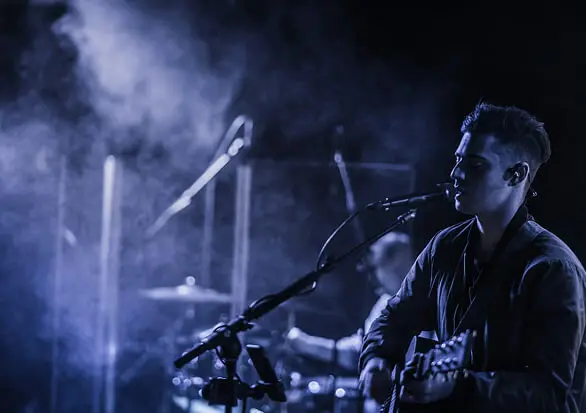
Train once with a few minutes of audio — covers come out sounding like you.
Two ways to get started - train your own voice model or use one that's already built.
Whether you're a musician, a content creator, or just someone curious about your own voice — here's how people actually use it.
Most people have a list of songs they've been meaning to record for years. The gear was wrong, the timing was off, or it just never happened. Train a voice model once — takes a few minutes of audio — and that list stops being hypothetical. No studio. No band. Just the song, done.

Copyright-safe audio that actually sounds good is harder to find than it should be. Generate a cover in your own voice instead—it's original, it fits your content, and it's ready the same day you need it.

Booking a vocalist to test an idea is expensive. Hearing it in your head isn't the same as hearing it on the track. Mock it up fast—good enough to share with a client, good enough to know whether it's worth pursuing.

You're not chasing plays or building a following. You just like making things. Train a model in your own voice, cover something you love, and decide later whether anyone else gets to hear it.

Honestly, some people just want to know what they'd sound like. That's a fine reason. Train a model, pick a track, listen back. Usually takes under ten minutes.

Most people have a list of songs they've been meaning to record for years. The gear was wrong, the timing was off, or it just never happened. Train a voice model once — takes a few minutes of audio — and that list stops being hypothetical. No studio. No band. Just the song, done.

Copyright-safe audio that actually sounds good is harder to find than it should be. Generate a cover in your own voice instead—it's original, it fits your content, and it's ready the same day you need it.

Booking a vocalist to test an idea is expensive. Hearing it in your head isn't the same as hearing it on the track. Mock it up fast—good enough to share with a client, good enough to know whether it's worth pursuing.
You're not chasing plays or building a following. You just like making things. Train a model in your own voice, cover something you love, and decide later whether anyone else gets to hear it.
Honestly, some people just want to know what they'd sound like. That's a fine reason. Train a model, pick a track, listen back. Usually takes under ten minutes.
